Loading local time…
change timezone
New Forum Posts
- RTX 5080 negotiating PCIe Gen5 x8 instead of x16 after exhaustive BIOS testing (1)
- New SSD Benchmark Tool (Alternative to AS SSD and CrystalDiskMark) (127)
- RX 5700 XT No post (61)
- RX 9070 Random System Freezes / LiveKernelEvent 141 / AMD_WATCHDOG / WHEA 18 - After months of troubleshooting I'm out of ideas (9)
- Corsair RM650 (2019) blasted some white smoke on its rear (143)
- Your PC ATM (36115)
- TPU Retro Gaming Club (4)
- RX 9000 series GPU Owners Club (2156)
- Opinions on AI (973)
- Free Games Thread (5246)
Popular Reviews
- Halo: Campaign Evolved Performance Benchmark Review - 35 GPUs Tested
- ASRock X870 Challenger Wi-Fi Review
- Gamdias Notus M1-1201 120 mm Fan Review
- Pulsar eS FS-1 Review
- Upcoming Hardware Launches 2026 (Updated Jul 2026)
- ASUS Zenbook A16 (UX3607OA) Review - Snapdragon Laptops are Getting Better and Better
- Lenovo Yoga Pro 9i Gen 11 Aura Edition (16IPH11) Review - Yoga Top Dog with Tandem OLED
- ASUS ROG GR70 Mini PC Review
- Best of Computex 2026
- Intel Core Ultra 7 270K Plus Review - Intel's Fastest Gaming CPU
TPU on YouTube
Controversial News Posts
- AMD Launches Radeon RX 9050 4/8 GB SKUs with First Design from ASRock (228)
- NVIDIA RTX 50-Series GPUs Could See Another 20-30% Price Hike in 2026 (179)
- NVIDIA Readies GeForce RTX 5090 SE Graphics Card (161)
- Microsoft Promises Better Windows 11 Memory Efficiency (159)
- NVIDIA Shows DLSS 5 Progress and Technical Details at SIGGRAPH 2026 (148)
- Valve Reportedly Sells 12-15K Steam Machine Units Per Week (125)
- Intel "Nova Lake" to Feature AVX-512 on Both P-cores and E-cores (84)
- AMD FSR Multi-Frame Generation With Up to 8x Mode in Development (78)

NVIDIA GeForce Graphics Drivers
NVIDIA GeForce Graphics Drivers 582.66 WHQL
(For GeForce 900 and GeForce 10)
NVIDIA GeForce Graphics Drivers 474.44 WHQL
(for GeForce 600 / Kepler, Windows 8/7)
-
484.1 MBWin 8, 7 (64-bit)474.44-desktop-win8-win7-64bit-international.exe
NVIDIA GeForce Graphics Drivers 391.35 WHQL
(for GeForce 500 / Fermi)
-
347.4 MBWin 10 (32-bit)391.35-desktop-win10-32bit-international-whql.exe
-
403.5 MBWin 8, 7 (64-bit)391.35-desktop-win8-win7-64bit-international-whql.exe
-
329.1 MBWin 8, 7 (32-bit)391.35-desktop-win8-win7-32bit-international-whql.exe
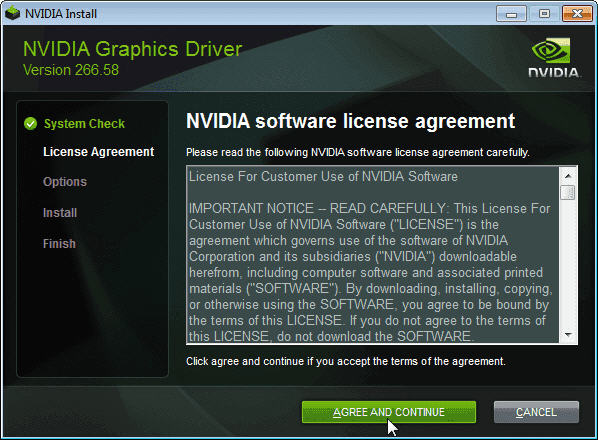
Download the latest driver for NVIDIA graphics cards, to ensure you have the best gaming experience and get the fastest performance.
This NVIDIA GeForce driver download supports:
- GeForce RTX 5090, RTX 5080, RTX 5070 Ti, RTX 5070, RTX 5060 Ti and RTX 5060 (Blackwell)
- GeForce RTX 4090, RTX 40 Super, RTX 4080, RTX 4070 Ti, RTX 4070, RTX 4060 Ti and RTX 4060 (Ada)
- GeForce RTX 3090 Ti, RTX 3090, RTX 3080 Ti, RTX 3080, RTX 3070 Ti, RTX 3070, RTX 3060 Ti, RTX 3060 (Ampere)
- GeForce RTX 2080 Ti, RTX 2080, RTX 2070, RTX 2060, GTX 1660, GTX 1650 (Turing)
- and many more, including older models (select from the legacy drivers on the left side)
If you want to customize your NVIDIA driver installation beyond what the official NVIDIA driver allows, check out our NVCleanstall software. It lets you individually exclude various unwanted components, like Telemetry, NVIDIA App and others.
Version History
610.88 WHQL (July 29th, 2026)
Fixed Gaming Bugs
-
[Halo: Campaign Evolved]: Resolved game crashes observed on RTX 50 Series GPUs with R610 drivers. [6259837]
-
Path of Exile 2: Fixed intermittent long pauses that could occur after extended gameplay sessions in DX12 mode [5090018]
-
Silent Hill F: Gaming stability improvements [6432954]
-
[Strange Brigade/Zombie Army 4:Dead War]: Game may crash when exiting if NVIDIA App In-Game Overlay is enabled [6392324]
-
Improves frame pacing in certain DX11 games when Smooth Motion is used while G-SYNC is enabled [6300603]
Fixed General Bugs
-
RTX Dynamic Vibrance is incorrectly applied to Wallpaper Engine [6244021]
-
Paint.NET may crash during launch when NVIDIA Surround is enabled [5366537]
610.82 Beta (July 23rd, 2026)
This hotfix addresses the following:
-
[Halo: Campaign Evolved] Stability issues on GeForce RTX 50 series when using 610.xx drivers. [6259837]
-
[Path of Exile 2] Fixed intermittent long pauses that could occur after extended gameplay sessions in DX12 mode [5090018]
610.74 WHQL (July 8th, 2026)
Game Ready
-
DOOM: The Dark Ages | Revelations
-
Assassin's Creed Black Flag Resynced.
Fixed General Bugs
-
Tencent Meeting: Flickering may be observed when Smooth Motion is enabled globally [6329207]
Known Issues
-
Laptops: "Prefer Maximum Performance" Power Management Mode may not be applied correctly [6007998]
610.62 WHQL (June 16th, 2026)
Game Ready
-
Empulse
Fixed Gaming Bugs
-
World of Warcraft: Gaming stability improvements [5563205]
-
Apex Legends: Occasional visual corruption after extended gameplay [6239327]
-
Users may observe DLSS settings being grayed out in certain games after updating to display driver 615.47 [6262805]
-
Improved gaming stability in multi-monitor configurations when using V-SYNC with DLSS Frame Generation [6158481]
-
Resolved an issue that could cause jittering or ghosting in some DirectX 11 games when Smooth Motion is enabled [5937897]
-
Resolved an issue that could cause some games to crash when launched with Smooth Motion enabled [5466398]
Fixed General Bugs
-
[Ada] Resolves a frame pacing issue on certain monitors when G-SYNC is enabled [6226972]
-
Resolved an issue that prevented the EDID from being read on certain monitors causing them to be identified as "NVIDIA NV-Failsafe" [6005508]
-
Resolved an issue where certain monitors would not wake from sleep mode [5806798/5635230]
-
General stability improvements when the system fails to create a new allocation [5449920]
582.66 WHQL (June 16th, 2026)
-
Security updates
391.35 WHQL (March 27th, 2018)
Game Ready
Provides the optimal gaming experience for Far Cry 5.
Security Updates
This driver adds security updates for driver components. Fixed
issues are CVE-2018-6247, CVE-2018-6248, CVE-2018-6249, CVE-2018-6250, CVE-2018-6251, CVE-2018-6252,
CVE-2018-6253. These CVEs are related to kernel mode, DirectX 10 and OpenGL drivers where certain
operations may lead to Denial of Service or Escalation of Privileges.
Application SLI Profiles
Added or updated the following SLI profiles:
- GRIP
- WRC 7
3D Vision Profiles
Added or updated the following 3D Vision profiles:
- Far Cry - Not recommended
- GRIP - Excellent
- The Talos Principle - Excellent
Fixed Issues in this Release
- GeForce 3D Profile Manager tool can't import profiles. [2076480]
- [GeForce Experience]: Memory leak occurs leading to poor game performance when using NVIDIA Freestyle. [2068039]
- [NVIDIA Control Panel][SLI][Diablo III]: With V-Sync on and SLI enabled, the game freezes after switching windows (ALT+TAB) a few times. [1951584]
- [Notebook]: The driver may fail to initialize the GPU. [200354056]
Windows 10 Issues
- [Far Cry 5]: Green flickering occurs in the game when using HDR with non-native resolution. To work around, either quit and then restart the game while in the desired resolution, or press [Alt+tab] away from and then back to the game, or press [Alt+Enter] to switch to windowed mode and then back to full-screen mode.
- [NVIDIA TITAN V][G-Sync]: G-Sync displays may go blank when switching between different overclocked memory clocks multiple times. [200361272]
- [SLI][GeForce GTX 780 Ti]: There is no display output when connecting the DisplayPort and two DVI monitors. [1835763]
- [GeForce TITAN (Kepler-based)]: The OS fails after installing the graphics card on a Threadripper-enabled motherboard. [1973303]
- [Pascal GPUs][Gears of War 4]: Blue-screen crash may occur while playing the game. [2008731]
- [GeForce GTX 1080 Ti][Doom]: The game crashes due to the driver reverting to OpenGL 1.1 when HDR is enabled. [2049623]
Loading local time…
change timezone
New Forum Posts
- RTX 5080 negotiating PCIe Gen5 x8 instead of x16 after exhaustive BIOS testing (1)
- New SSD Benchmark Tool (Alternative to AS SSD and CrystalDiskMark) (127)
- RX 5700 XT No post (61)
- RX 9070 Random System Freezes / LiveKernelEvent 141 / AMD_WATCHDOG / WHEA 18 - After months of troubleshooting I'm out of ideas (9)
- Corsair RM650 (2019) blasted some white smoke on its rear (143)
- Your PC ATM (36115)
- TPU Retro Gaming Club (4)
- RX 9000 series GPU Owners Club (2156)
- Opinions on AI (973)
- Free Games Thread (5246)
Popular Reviews
- Halo: Campaign Evolved Performance Benchmark Review - 35 GPUs Tested
- ASRock X870 Challenger Wi-Fi Review
- Gamdias Notus M1-1201 120 mm Fan Review
- Pulsar eS FS-1 Review
- Upcoming Hardware Launches 2026 (Updated Jul 2026)
- ASUS Zenbook A16 (UX3607OA) Review - Snapdragon Laptops are Getting Better and Better
- Lenovo Yoga Pro 9i Gen 11 Aura Edition (16IPH11) Review - Yoga Top Dog with Tandem OLED
- ASUS ROG GR70 Mini PC Review
- Best of Computex 2026
- Intel Core Ultra 7 270K Plus Review - Intel's Fastest Gaming CPU
TPU on YouTube
Controversial News Posts
- AMD Launches Radeon RX 9050 4/8 GB SKUs with First Design from ASRock (228)
- NVIDIA RTX 50-Series GPUs Could See Another 20-30% Price Hike in 2026 (179)
- NVIDIA Readies GeForce RTX 5090 SE Graphics Card (161)
- Microsoft Promises Better Windows 11 Memory Efficiency (159)
- NVIDIA Shows DLSS 5 Progress and Technical Details at SIGGRAPH 2026 (148)
- Valve Reportedly Sells 12-15K Steam Machine Units Per Week (125)
- Intel "Nova Lake" to Feature AVX-512 on Both P-cores and E-cores (84)
- AMD FSR Multi-Frame Generation With Up to 8x Mode in Development (78)